


Your IP address is a unique identifier that is assigned to your device whenever you connect to the internet.
It can be used to track your online activity and location. This can be a privacy concern, especially if browsing sensitive websites or engaging in activities you don’t want others to know about.
A VPN or virtual private network is the best software to hide your IP address. So, here are the 7 best software to hide IP addresses.
7 Best VPNs To Hide Your IP Address
A VPN encrypts your traffic and routes it through a remote server, making it appear as if you connect to the internet from a different location.
This effectively masks your actual IP address and protects your online privacy.
There are many different VPN providers available, both free and paid.
When choosing a VPN, it is essential to consider factors such as speed, security, and server network.
It is also essential to ensure the VPN provider has a good reputation and does not keep logs of your activity.
-
NordVPN
Pricing: Complete package – $4.99/mo+ 3 EXTRA months, Plus Package for $3.99/mo + 3 extra months and Standard package for $2.99/mo +3 Extra months.
Developer: Nord Security
NordVPN is one of my favorite IP blocker apps that does not collect user data and share your information.
Unlike other VPNs, NordVPN stands out because of its easy-to-use UI and plenty of innovative features.
The app provides security by preventing ads & malware and by encrypting send & receive data.
NordVPN allows you to access various streaming websites without any hassle.
So, if you want a trustworthy and hassle-free VPN service to hide your IP address, I recommend NordVPN.
Pros:
- Automatically disconnects the internet
- Does not track, collect and share the user data
- No Domain Name System (DNS) leak
- Fast and stable speed
- Provides protection with double VPN
Cons:
- Supports Torrenting only for a few servers
- Can slow down the internet speed
Get NordVPN
-
ExpressVPN
Pricing: $8.32 for 12 months, $9.99 for 6 months and $12.95 for 1 month.
Developer: Peter Burchhardt and Dan Pomerantz
ExpressVPN is a good software for hiding IP addresses that lets you browse the internet securely.
The VPN service offers unlimited access to social media, music, and video.
The software program uses encryption and a leakproof facility to provide online protection to the users. It hides the IP address and physical location and encrypts your network data.
ExpressVPN offers 24/7 assistance via live chat and email and allows you to pay using Bitcoin and Tor for accessing the hidden sites.
Pros:
- Provides good privacy for internet activities
- Maintains privacy securely
- Does not store browsing data, IP address, metadata, or traffic destination
- Provides faster server speed
- Has many choices of protocols
- Vast range of server location
- The setup procedure is easy and provides good customer support
Cons:
- The software can seem expensive compared to other programs
- May not be suitable for advanced users
Get ExpressVPN
-
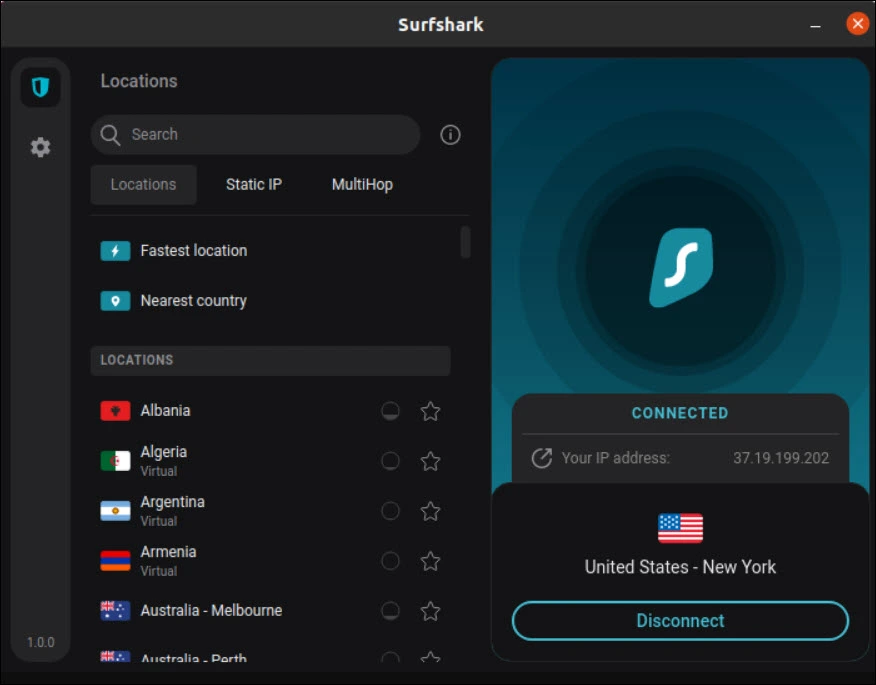
Surfshark
Pricing: 30 days free trial, $ 15.45 for one month, $3.99 per month and $ 2.49 per month for 24 months.
Developer: Vytautas Kaziukonis
Surfshark is my other favorite IP blocker software that provides faster and more secure web access.
It offers secure tunnel protocols, hiding your location and keeping sensitive data secure.
The VPN allows apps & websites to bypass the VPN. It doesn’t log your IP, and prevents DNS leaks and WebRTC.
This VPN is a good option to block unwanted websites and share your IP address with others on the same server without any hassle.
The software also allows you to bookmark your location for further use.
Pros:
- Provides secure browsing
- Supports a vast range of apps
- Offers good server speed and smooth user experience
- Keeps your data private with AES-256
Cons:
- The setup process is complicated
- Social media presence is weak
- Does not provide access to Tor via VPN
Get Surfshark
-
CyberGhost
Pricing: The package ranges from $2.29 per month to $12.99 per month
Developer: Robert Knapp
CyberGhost is a good tool to hide IP in just one tap and bypass geo-restricted content hassle-free.
The VPN allows you to surf the network anonymously without any restrictions.
The app allows you to access the NoSpy server. It uses the latest 256-bit AES technique to encrypt data.
It notifies you as soon as you connect to any unsecured public network.
Pros:
- Hides the IP and surfs the net anonymously
- Protects the digital identity and helps to access all geo-restricted contents
- Offers lots of locations to choose from
- Easily unblocks websites
- Provides protection on public Wi-Fi
Cons:
- The username & password management process is complicated
- Certain servers can be slow & affect the networking speed
- Sometimes, the software crashes
Get CyberGhost
-
ProtonVPN
Pricing: 9.99 € for one month, 4.99 € per month for 24 months and 5.99 € per month for 12 months
Operated By: Proton AG
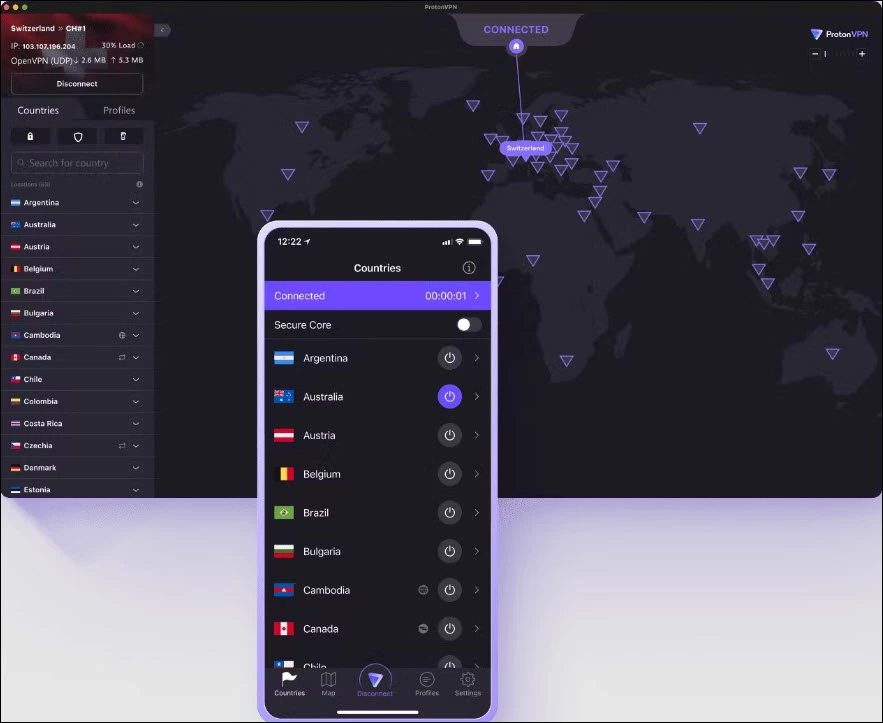
ProtonVPN is one of the best VPNs, requiring no registration and unlimited bandwidth.
This broadband Swiss VPN does not store the user’s data, thus protecting their online privacy. As it requires no sign-ups, it enables the internet without surveillance.
The traffic is encrypted; even if one gets the encryption key, the traffic cannot be decrypted. So it is entirely safe to use.
But sometimes, you may have lag issues with the free service, which does not support Torrent.
Pros:
- Requires No signups
- Unlimited bandwidth and fast servers
- Secure core and P2P sharing
- Allows to stream BBC iPlayer
- Breaks down the barriers of Internet censorship
- Allows to connect 10 devices at a time
Cons
- Offers only email support
- Allows limited number of Asian region servers
Get Proton VPN
-
Atlas VPN
Pricing: 1.64 USD/mo for 2 years + 6 months extra, 11.99 USD/mo for 1 month, 3.29 USD/mo for 1 year
Developer: Peakstar Technologies Inc.
Altas VPN offers a safer user experience and is more open to the internet. This VPN uses the WireGuard protocol for a seamless and secure gaming, streaming, and browsing experience.
The thing that I like about this VPN is it allows users to access the internet simultaneously from various IP addresses.
Pros:
- Provides good speed for everyday use
- 24/7 customer support via email chat
- Provides good server speed
- Offers mobile-optimized apps for iOS and Androids
- Provides high-level security with bulti in two-factor authentication
Cons:
- Unavailable for Linux
- Doesn’t provide any dedicated IP address
Get Atlas VPN
-
IPVanish
Pricing: $12.99 monthly, $3.33 /mo for 2-years, $ 4.49 /mo yearly
Developer: Ziff Davis, Inc.
IPVanish offers a Wi-Fi hotspot shield, backup tools, safe file access, and so on.
It offers powerful internet privacy via an anonymous IP address shield. IPVanish secures access to online content from almost anywhere without the risk of getting blocked. It offers security on every device you have.
Pros:
- Easy-to-use interface
- Uses WireGuard, the fastest tunneling protocols
- Provides secure access to the online content from anywhere
- Offers advanced encryption to safeguard any connection
- Protects regular internet activity
- Secures all your devices
- 24/7 phone support and live chat
- Offers servers of more than 75 locations Globally
Cons:
- Privacy issues
- Unstable client application
- Lack of optimized servers
Get IPVanish
Pros:
- Provides fast connections
- Offers verified no traffic logs policy
- Supports ESPN +, Netflix and more
- Unlimited devices and bandwidth
- Multiple connection protocols
- 24/7 customer support
Overview of Top 7 Software To Hide IP Address
| VPNs | Key Feature | Servers | Connections | Security Features | Streaming Support |
| NordVPN | No Domain Name System (DNS) leak
|
5800 + in about 60 countries | 6 | WireGuard, IKEv2/IPsec, OpenVPN, Double VPN, Onion Over VPN, dedicated IP, obfuscated servers | Netflix, Hulu, Amazon Prime Video, BBC iPlayer, etc. |
| Express VPN | Does not store browsing data, IP address, metadata, or traffic destination
|
3000+ in almost 94 countries | 5 | WireGuard, OpenVPN, Lightway, obfuscated servers | Netflix, Hulu, Amazon Prime Video, BBC iPlayer, etc. |
| Surfshark | Keeps your data private with AES-256 | 3200 + in 100 countries | Unlimited | WireGuard, IKEv2/IPsec, OpenVPN, MultiHop, SafeSwap | Netflix, Hulu, Amazon Prime Video, BBC iPlayer, etc. |
| CyberGhost | Allows you to access the NoSpy server. It uses the latest 256-bit AES technique to encrypt data.
|
9000 + in over 90 countries | 7 | WireGuard, OpenVPN, IKEv2/IPsec, dedicated IP, obfuscated servers | Netflix, Hulu, Amazon Prime Video, BBC iPlayer, etc. |
| ProtonVPN | Unlimited bandwidth and fast servers
Secure core and P2P sharing
|
1500 + in 60 countries | 10 |
WireGuard, OpenVPN, IKEv2/IPsec, Secure Core |
Netflix, Hulu, Amazon Prime Video, BBC iPlayer, etc. |
| AtlasVPN | Provides high-level security with bulti in two factor authentication
|
750 + in 37 countries | Unlimited | WireGuard, IKEv2/IPsec, WireGuard (Beta) | Netflix, Hulu, Amazon Prime Video, BBC iPlayer, etc. |
| IPVanish | Unlimited devices and bandwidth
|
2000 + in more than 75 countries | Unlimited | WireGuard, OpenVPN, IKEv2/IPsec, Scramble, dedicated IP | Netflix, Hulu, Amazon Prime Video, BBC iPlayer, etc |
Benefits of Using A VPN Service to Hide IP Addresses
Here are some of the benefits of using a VPN to hide your IP address:
- Protect your online privacy: A VPN can help to protect your online privacy by masking your real IP address.
This prevents websites and other online services from tracking your online activity and location.
- Bypass geo-restrictions: A VPN can be used to bypass geo-restrictions, which are restrictions that are placed on content based on your location.
- Secure your internet connection: A VPN can help to secure your internet connection by encrypting your traffic.
This is especially important when connecting to public Wi-Fi networks, which are often unsecured.
If you are looking for the best software to hide your IP address, a VPN is the best option.
Wrapping Up
VPNs are easy to use, provide online privacy protection, bypass geo-restrictions, secure your internet connection, and hide your IP address.
Explore the VPN services mentioned above and then select the one that suits your needs and preferences.